


ClipEater
Your wedding edit is done — and the project folder is 800 GB. ClipEater archives finished Premiere projects at a fraction of their size: it keeps every clip you used, drops everything you didn’t, and relinks the project so it opens perfectly from the archive.
What it does
- Analyses your project and shows exactly how much space you’ll save before you commit.
- Self-contained archives — footage, audio, LUTs and the cleaned project file in one tidy folder. No broken links, ever.
- Full Clips mode (free): copies every used clip in full length. Unlimited projects, no account needed.
- Trimmed Clips mode (Pro): keeps only the parts on your timeline, plus safety handles — lossless, no re-encoding.
- Built-in validation checks the finished archive so you can delete the original with a clear conscience.
- Speed-ramp safe: clips with speed changes or time remapping are copied in full automatically.
How it works
Analyse
Hit “Analyse project” and Calcifer finds every clip you use — and everything that’s just eating space.
Choose your appetite
Full Project, Full Clips or Trimmed Clips — you see the projected archive size for each before deciding.
Pick a destination
Point at an empty folder. Your archive lands there with Footage, Audio and the clean project file neatly sorted.
Let Zala eat
Lean back. When she’s full, open the archived project straight from the folder — everything just works.
Free vs. Pro
- Full Project & Full Clips archiving
- Unlimited projects
- Archive validation
- All future free updates
- Trimmed Clips — the big space saver
- Lossless trims with safety handles
- License works on 2 machines
- No subscription. No account.
You can upgrade any time from inside the plugin, too — the checkout opens right when you need it.
Download

Get ClipEater for free
Drop your email and the download link lands in your inbox — plus a heads-up when updates ship.
Already using ClipEater? Get the latest update →
Your email is only used to send this link — unless you tick the box above. See the privacy notes.
First launch on macOS
ClipEater comes from a small indie studio (oh hi, it’s just me) — so macOS shows a security prompt on first open. Two clicks and you’re set:
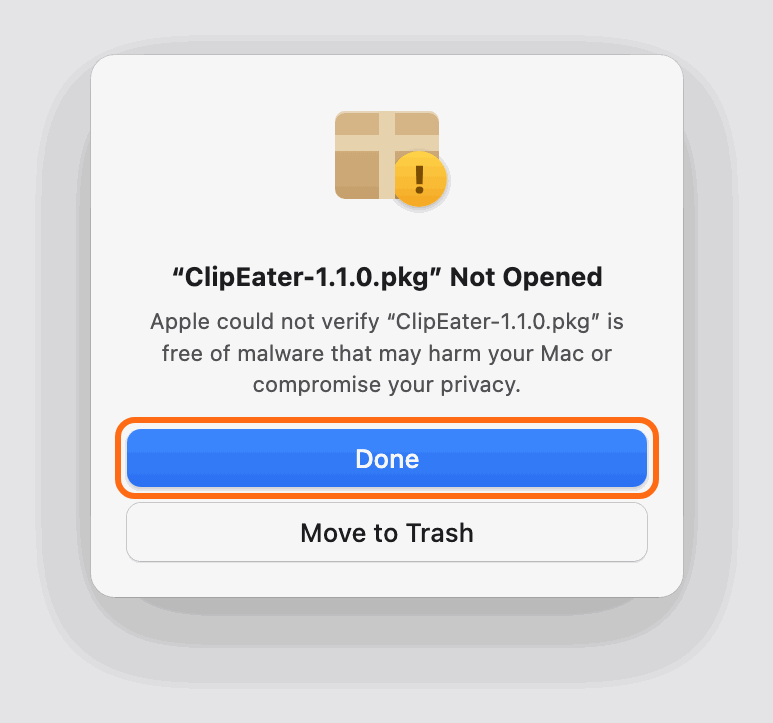
Open the installer → click “Done”
Double-click the .pkg. macOS says it “could not verify” the file — that’s the standard notice for independent developers. Click Done (not “Move to Trash”!).
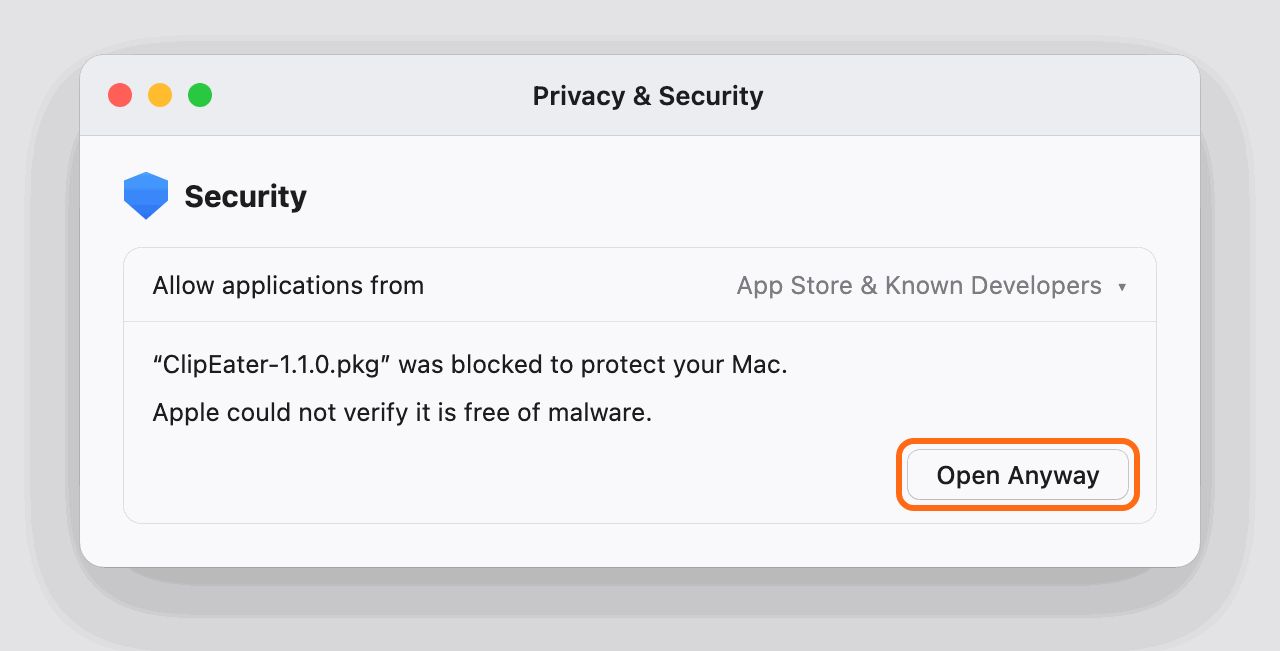
Allow it once in System Settings
Open System Settings → Privacy & Security, scroll down to Security and click “Open Anyway”. Confirm with your password or Touch ID — the installer starts right away.
Open it in Premiere Pro
Window → Extensions → ClipEater. Open a finished project and let Zala eat. On older macOS versions (before Sequoia) you can skip step 2 — right-click the .pkg and choose “Open” instead.